

-
 Home
Home
- Product


How AccuBin™ Inventory Management Works
Inventory values are measured by new or existing weight sensor or level sensor attached to your facility’s silos. AccuBin™ offers the flexibility of providing the best sensor solution for your application or configuring to pre-existing sensors. The system then transmits data such as weight, temperature, consumption rate, and sensor status to the Gateway through a device called Smart Node. The Gateway manages all messages between the Smart Nodes and the cloud by Wi-Fi or cellular data. Users gain remote access to this critical inventory data through their browser or AccuBin™ app on the computer or mobile device.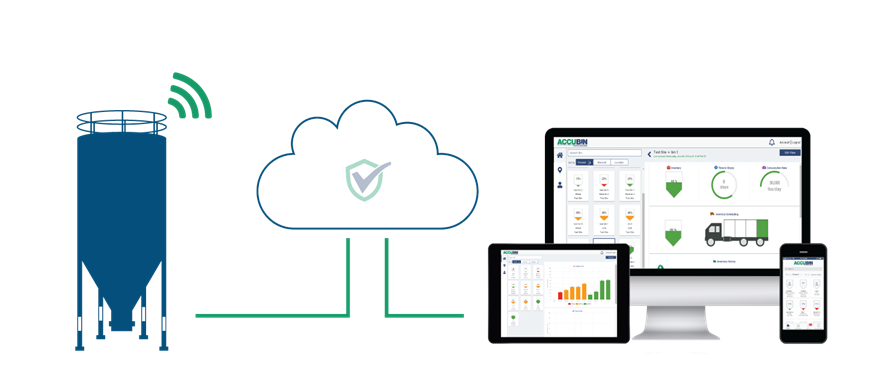
Sensors » Smart Node » Gateway » Software
AccuBin™ Screenshots
Single Pane of Glass
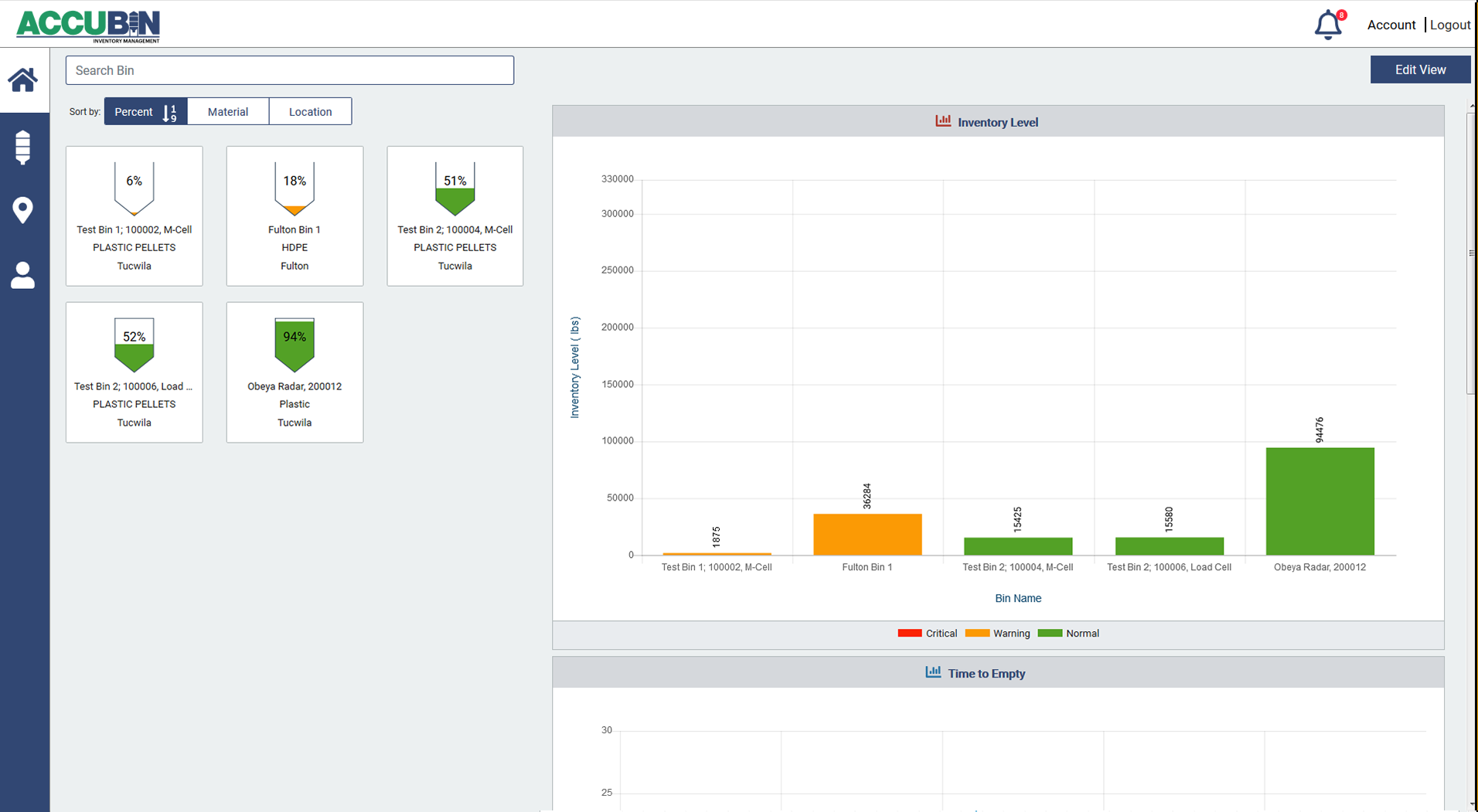 The AccuBin™ Inventory Management Home screen provides a snapshot view of all your facility's bins. Each bin is given an identity so that you can track bin level measurement, time to empty, and consumption rate. Through AccuBin's user friendly dashboard, you will also notice that each bin is color coded (green, orange, or red) based on your customized level presets. With the ability to sort inventory by inventory level, material or location, everything you need is available on one page!
 Individual Bin View AccuBin™ Inventory
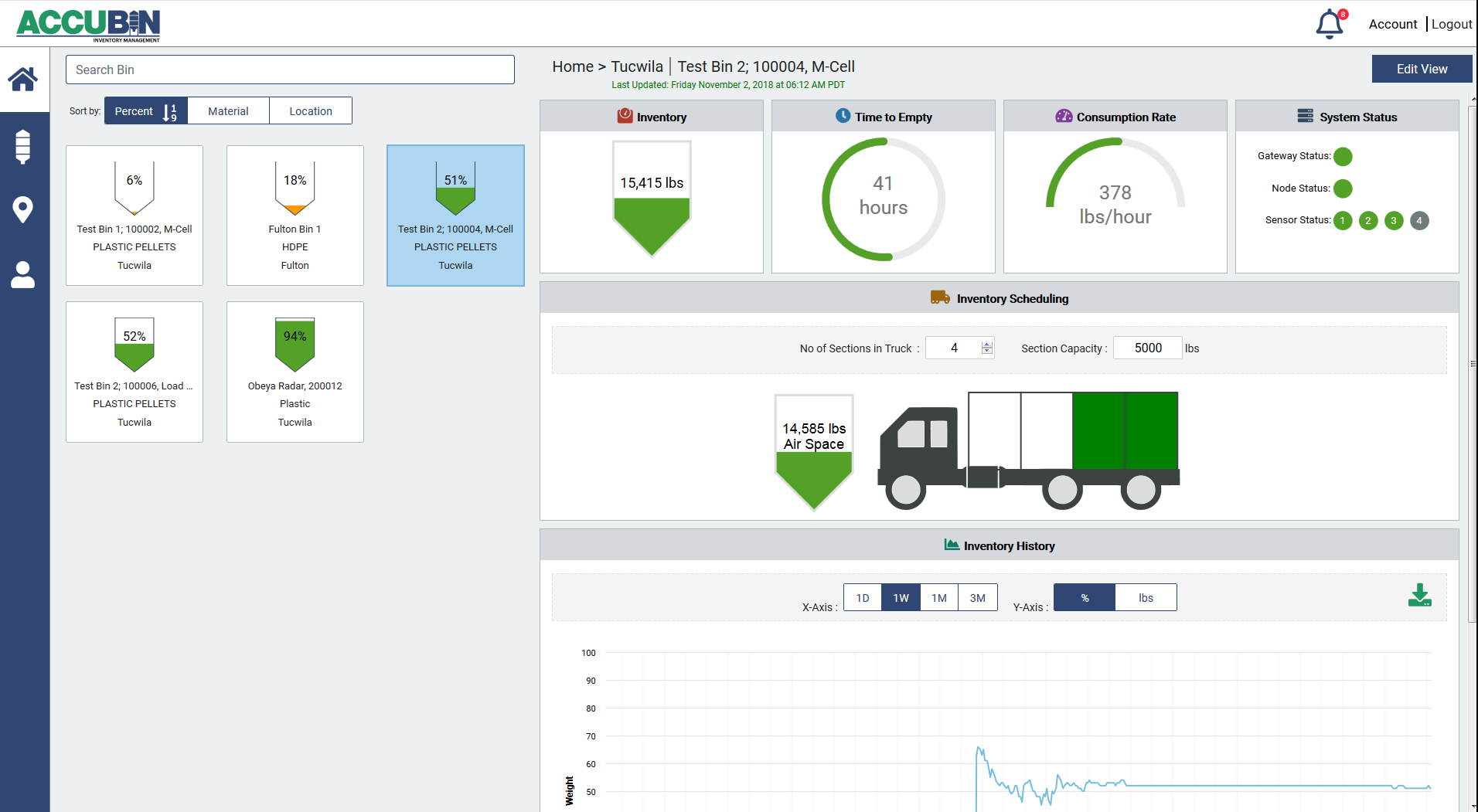 Management brings bin - specific data to your fingertips. The individual bin view gives you access to granular data for each bin in terms of inventory level, time to empty, and consumption rate. From this view, you will also know the silo level monitoring system's real-time operating status to ensure everything is running smoothly and data is up-to-date. Materials management and delivery planning is another feature on this screen. Use the inventory history and scheduling tools provided by AccuBin to be proactive with your inventory!
 Manage Bin List AccuBin™
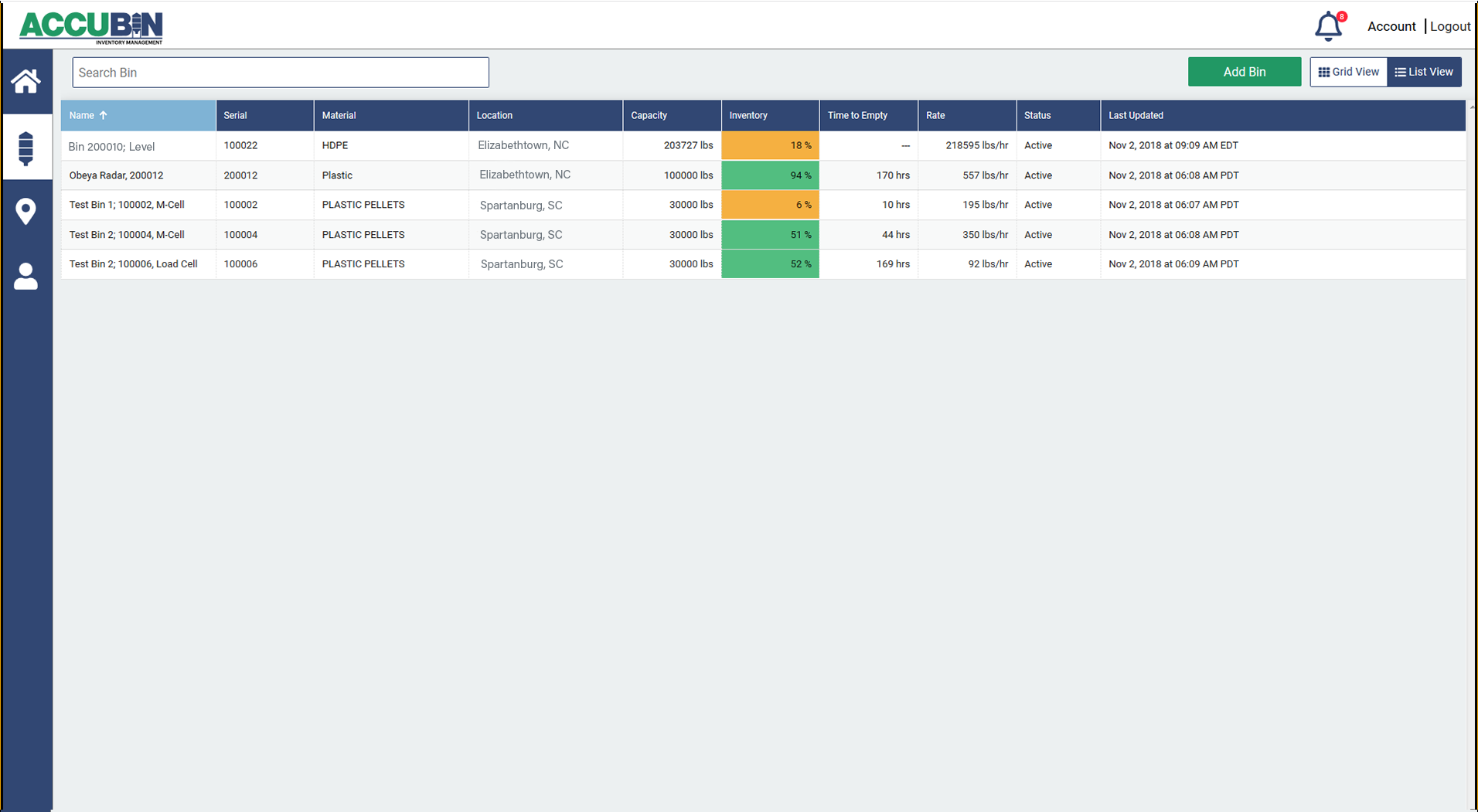 Inventory Management allows you to manage through the bin list view. In this user-friendly dashboard, you will view all existing bin and add new ones when necessary. The bin list displays critical bin level measurement information such as bin name, serial number, material type, bin location, bin capacity, current inventory level (color coded based on custom presets), time to emtpty, consumption rate, sensor status, and time of last update. The same screen is avaliable for each of your facility's locations.
 Add & Manage Users AccuBin™
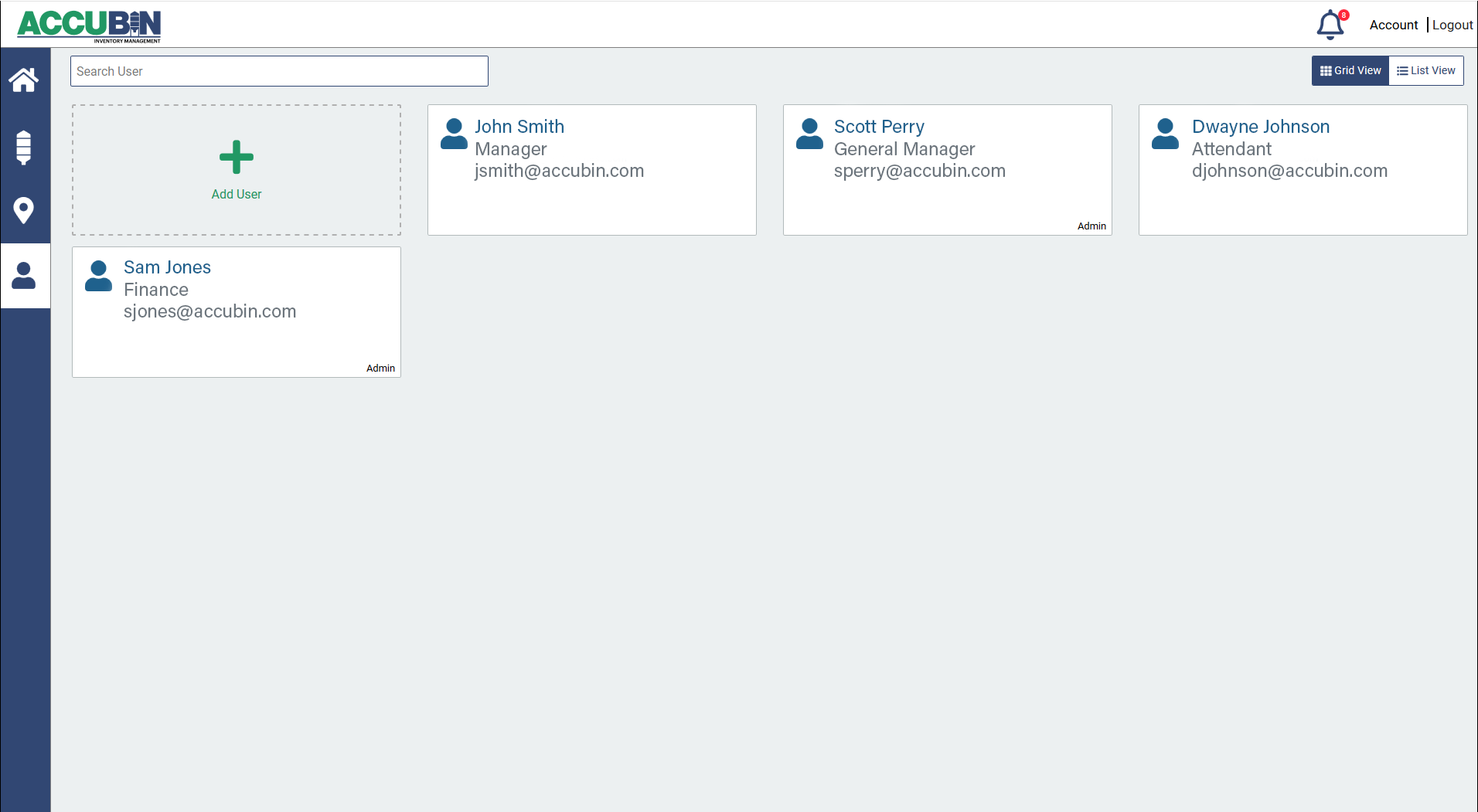 Inventory Management is here to provide you control and accountability for your team. Know who has access to your inventory information and give new individuals access to your bins or site locations. The Manage Users screen lists the name, title, access level, and contact information to each individual with access to your portal. Only the account's Admin users will have rights to adding/ subtracting users and their access to the inventory information.
Copyright © 2020 Venture Measurement Co. LLC